Try Google Drive: organize files, folders and permissions with AI now, no sign-up needed

Google Drive: organize files, folders and permissions with AI · Bring order to the Drive you already have
For freelancers, agencies, professional firms and small and medium-sized businesses with thousands of files like “final budget (2) copy.” We give you your industry’s naming convention, renaming for your own files, the folder tree as a ZIP, the permissions policy and Drive searches ready to paste.
In the features that use AI, responses are generated by artificial intelligence and are not a substitute for professional advice.
您有多少次因為手上保存的證明已經過期,而不得不重新整理同一批文件?
供應商資格認證不是一次就結束:每位客戶都用自己的格式、入口網站與期限,要求相同的資料,而且有兩件事一定會出問題。文件會過期——清償證明只有效幾個月——而且沒有人知道有效版本在哪裡,它可能在代辦事務所的電子郵件、雲端硬碟,或管理者的筆電裡。aiDossier 不是雲端資料夾:它知道西班牙的供應商資格認證文件檔案由哪些文件組成,知道每份何時到期並事先提醒您,還能以有效版本為您產生完整的文件檔案。此外,您的碳足跡與客戶寄來的 ESG 問卷也放在同一個地方,因為回答問卷所需的文件都在這裡。
See the tools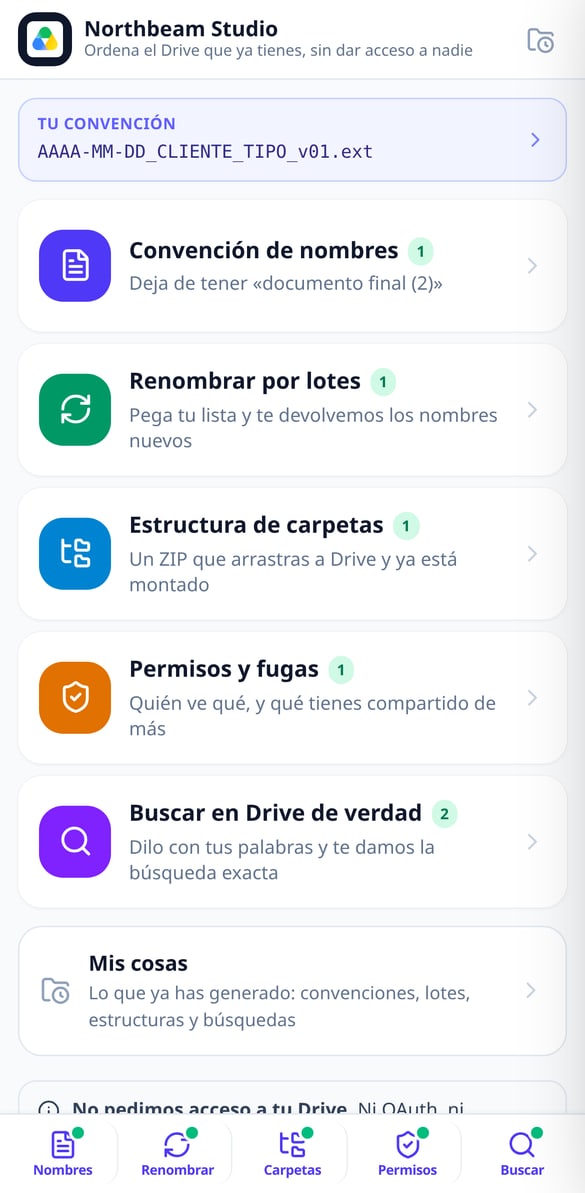
Discover every feature in detail

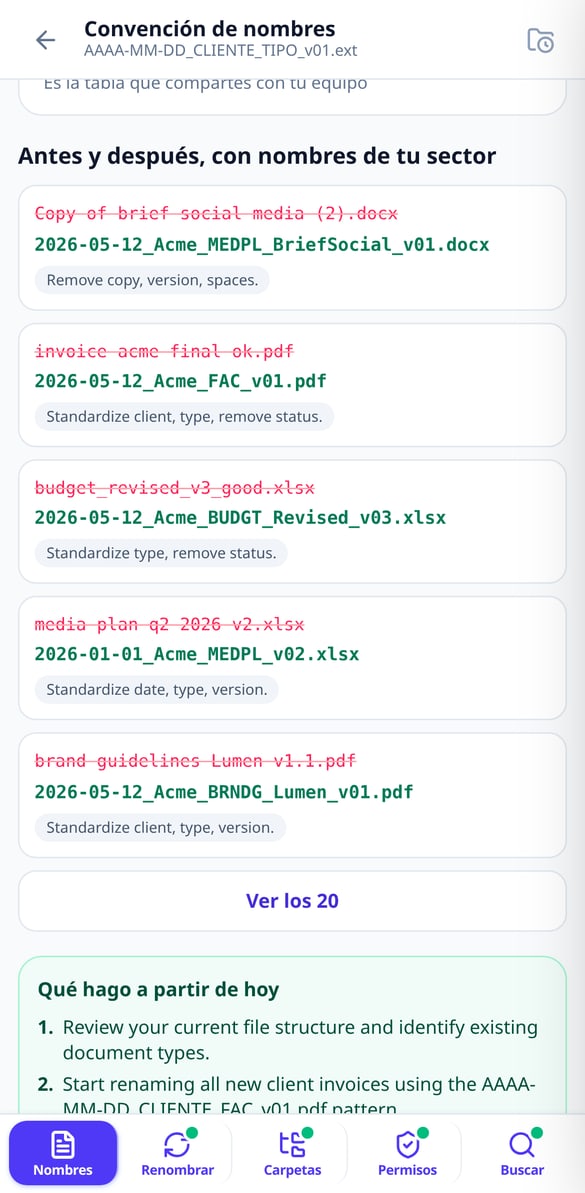
File Naming Standard by Industry | Google Drive
Choose your industry and the naming blocks and get the complete formula (YYYY-MM-DD_CLIENT_TYPE_v01), the 5 rules, your profession’s abbreviations, and before & after examples. Without connecting your Google account.
Try it free
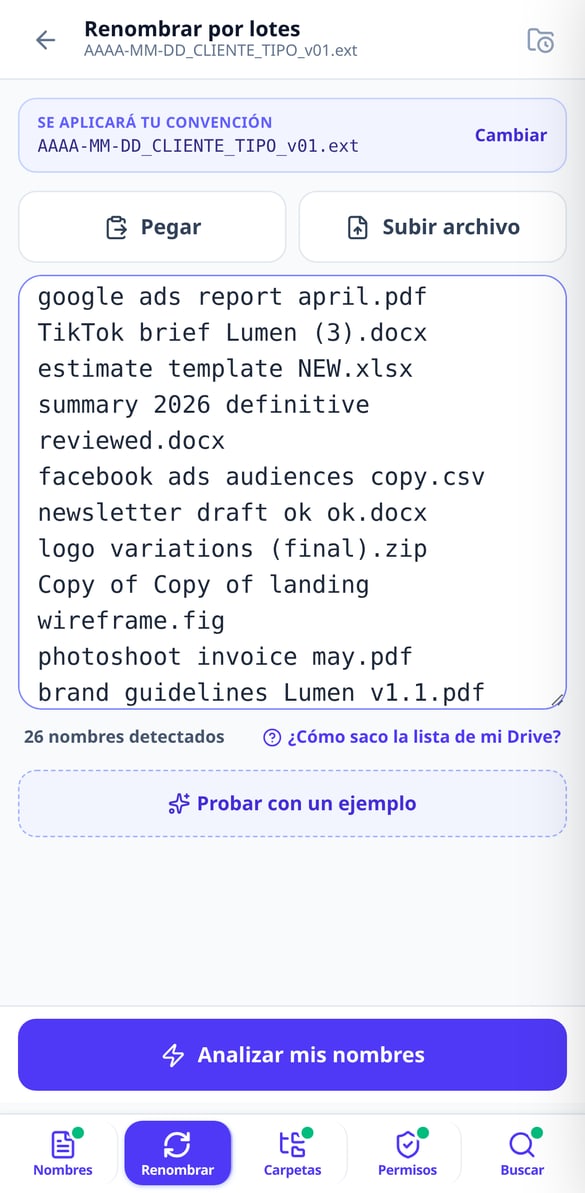
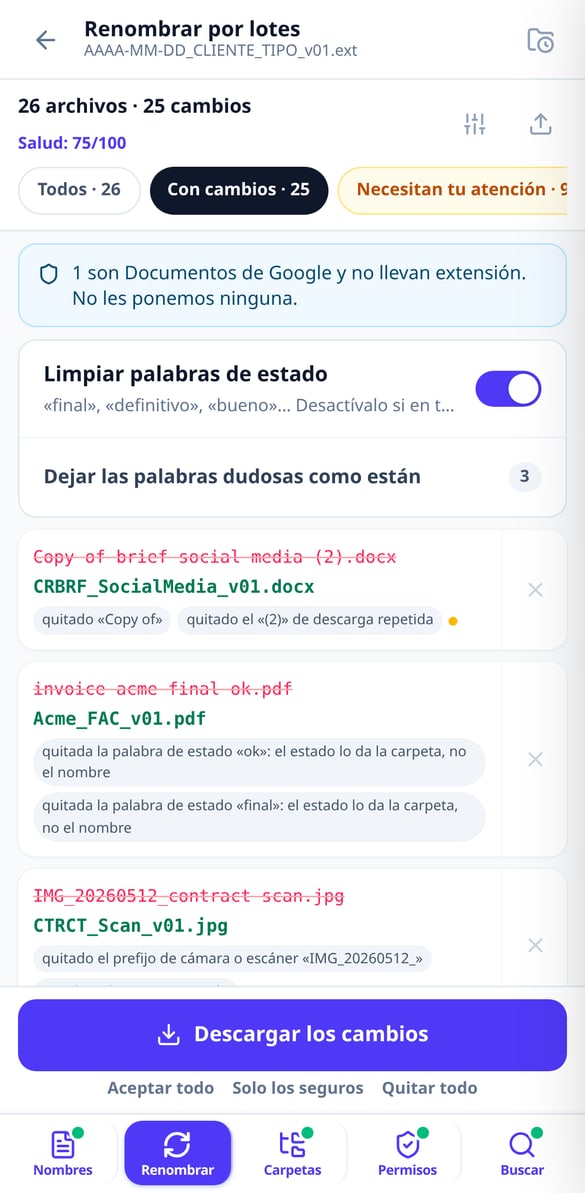
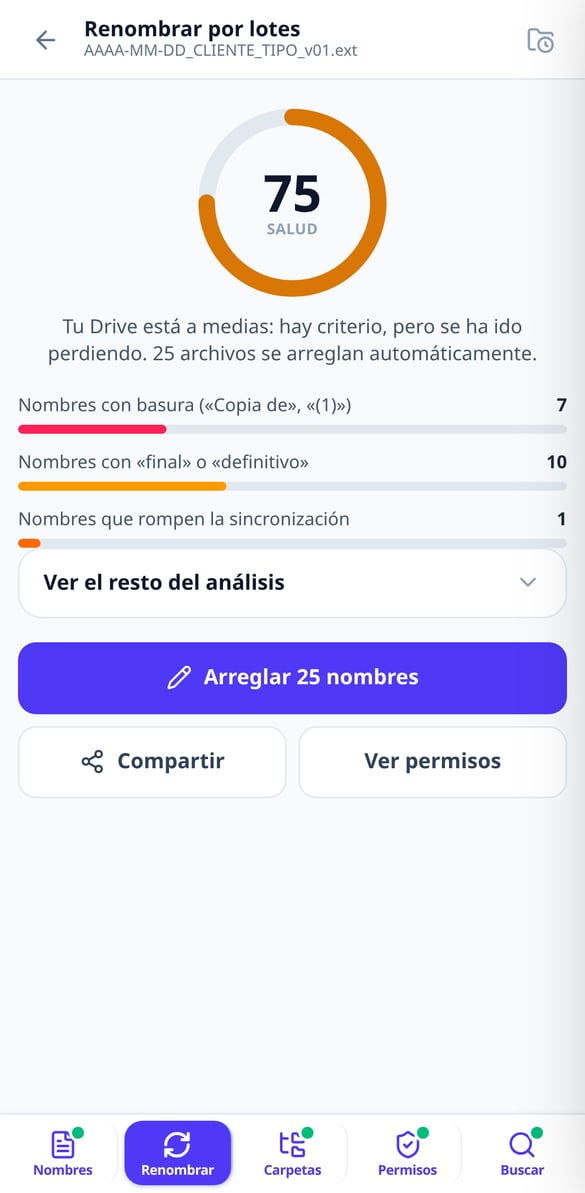
Batch Rename Files | Google Drive
Paste your file list and get a table showing current name → new name with the reason for each change. Up to 1,000 names, export in CSV or XLSX, and a script to apply it to your Drive. Without connecting your account.
Try it free
Apps Script script to rename files in Google Drive
Generate a Google Apps Script script with your name mapping already included: it runs in your account, with test mode enabled, resumable batches, and a final report. Without us needing access to your Google Drive.
Try it free
Google Drive Health Score: Grade your clutter
Paste your file name list and receive a score from 0 to 100 with a public formula: junk in names, status words, sync-breaking characters, duplicates, and mixed dates. Without connecting your account.
Try it free
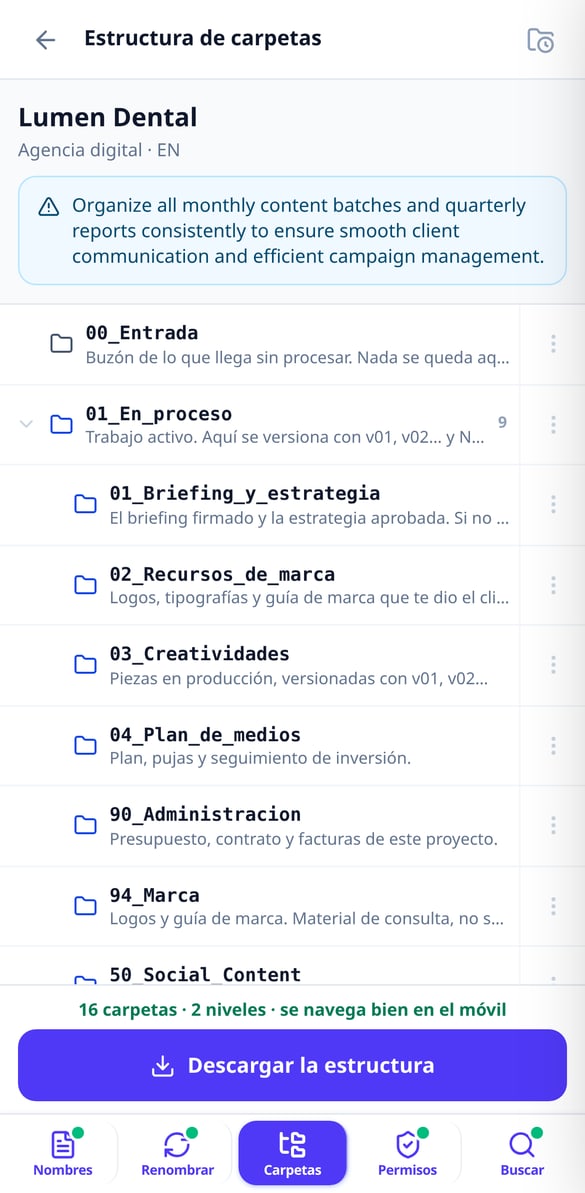
Folder Structure for Google Drive Ready in ZIP
Choose your work type and we’ll set up the project folder structure for you, numbered so Drive orders it and with a maximum of 3 levels. Download it in ZIP and drag it to Drive. Without connecting your account.
Try it free
Google Drive Permissions: Your Policy in Five Questions
Answer five questions and we’ll give you your Google Drive permissions policy in writing: calculated risk level, My Drive versus Shared drives matrix, eight audit searches, and the offboarding checklist. Without connecting your account.
Try it free
Advanced Google Drive search in natural language
Type or dictate what you're looking for and we'll give you the exact advanced Drive search query: type:, title:, owner:, from:, after:. Explained piece by piece, ready to copy. Without connecting your account.
Try it freeFive tools for the Drive you already have
西班牙的整套文件內建完成,期限由 App 監控,文件檔案以有效版本組成。不再有空資料夾,也不再需要追蹤用的 Excel。

Naming convention and batch renaming
Choose your industry from 11 and get the naming formula (YYYY-MM-DD_Client_TYPE_v01), your industry’s document abbreviations and 20 before-and-after examples. Then paste your names —up to 300 without an account, 1,000 with an account— and we’ll return the “current name → new name” table with the reason for each change, in CSV or XLSX.

Folder tree ready to drag and drop
Choose your type of work from 11 and we’ll build the structure by lifecycle —an intake folder, a work-in-progress folder, a client review folder, a deliverables folder and the archive—, numbered so Drive sorts it for you and with a maximum of 3 levels so it stays navigable on mobile. Each folder comes with its written guide inside. Take it as a ZIP or create it in your Drive with the script we give you.

Auditable permissions and searches that actually find
Five questions and you have your written permissions policy, the My Drive vs. Shared drives matrix, the checklist for when someone leaves and 8 audit searches. Describe what you’re looking for in one sentence and we’ll give you the Drive query explained operator by operator, with a link to open it in your account.
Three steps, nothing to install and no permissions to grant
告訴我們您的客戶是誰
Nuria 會問您三個簡短的問題——公司資料、您銷售的客戶類型,以及您擁有哪些認證——然後為您建好文件檔案,並標出空缺。不到一分鐘。
上傳您的文件
拖曳 PDF,或用手機拍照。AI 會提出類型與日期的建議,由您確認,從此 App 就會替您監控期限。
客戶一要求,就產生文件檔案
選擇範本與客戶,檢查系統標出的問題,然後下載 ZIP 或 PDF。或複製連結,直接用手機傳給對方,無需附加 40 MB 的檔案。
Frequently asked questions
Your Drive organized today, not “someday”
免費建立帳號,今天就建好您的文件檔案:只要回答三個問題,就能知道缺少哪些文件、哪些即將到期。